A few years ago, managing social media felt exhausting. Posting every day, replying to comments, tracking analytics, brainstorming ideas, and running ads, all of it depended heavily on manual work and guesswork. I remember spending hours deciding what to post. But then AI entered the industry.
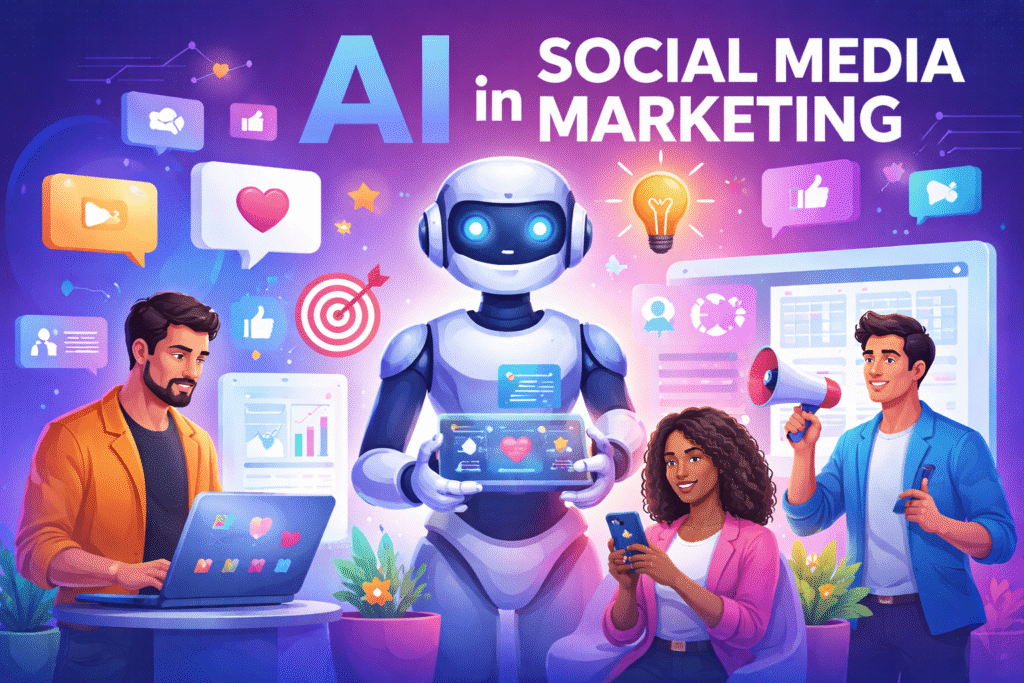
Initially, it helped with captions, content ideas, and analytics. Today, AI doesn’t just assist in social media marketing; it actively shapes AI in social media marketing by helping the brands research audiences, create content, run ads, and measure results. If you’re a marketer or business owner, AI is no longer optional in social media marketing. It has become essential.
What Is the Role of AI in Social Media Marketing?
AI in social media marketing means using artificial intelligence to analyze data, understand audience behavior, automate tasks, and improve content and advertising performance. It helps marketers make better decisions by learning from past engagement, user behavior, and trends.
AI can study what your audience likes, suggest content ideas, write captions and hashtags, analyze engagement and reach, optimize posting times, improve ad targeting, personalize content, automate replies and moderation, etc.
Benefits of AI in Social Media Marketing
1. AI to Conduct Customer Research
AI helps marketers understand their audience by analyzing large volumes of social media data such as comments, likes, shares, and online conversations. It identifies audience interests, behavior patterns, and emerging trends much faster than manual research, allowing brands to create more relevant and timely content.
2. AI to Create Social Media Content
AI assists in generating content ideas, captions, hashtags, and short-form scripts, helping marketers overcome creative blocks. While humans still refine the final output, AI speeds up content creation and ensures consistent posting across platforms.
3. AI to Enhance Personalization
AI enables brands to deliver personalized content by analyzing user behavior, engagement history, and preferences. This allows different users to see different messages, making content feel more relevant and increasing engagement and conversion rates.
4. AI for Analytics and Insights
AI goes beyond basic metrics by interpreting data and explaining why certain posts perform better than others. It highlights trends, suggests optimal posting times, and recommends content improvements, helping marketers make smarter, data-backed decisions.
5. AI for Improved Customer Experience
AI-powered chatbots and automated replies help brands respond instantly to messages, comments, and support queries. This reduces response time, improves customer satisfaction, and keeps audiences engaged even outside business hours.
6. AI for Advertising on Social Media
AI optimizes social media ads by managing audience targeting, budget allocation, and creative testing. It continuously learns from ad performance to improve results, helping businesses achieve better ROI with less manual effort.
Top AI Tools For Social Media Marketing
Using the right social media AI tools can save time, improve targeting, automate posting, and increase ROI.
1. SocialBee
SocialBee is an all-in-one management tool that helps you organize social media posts into categories. This system ensures your feed stays balanced with a mix of educational content, promotions, and fun updates. It is highly effective for businesses that want to maintain a consistent presence across multiple platforms without manually posting every day.
| Pros | Cons |
| Category-Based Scheduling: Keeps your content mix balanced automatically. | Dated Interface: The dashboard can feel cluttered compared to modern tools. |
| Recycle Feature: Can automatically re-post your evergreen content to save time. | Limited Mobile App: You cannot do much more than view your schedule on the app. |
| Great Integrations: Works smoothly with Canva and various link shorteners. | No Link in Bio: Lacks a native tool to create Instagram landing pages. |
| Collaboration Tools: Easy for teams to leave internal notes on specific posts. | Steep Learning Curve: It takes a bit of time to master the category system. |
| Analytics Reports: Provides clear PDFs of how your profiles are performing. | Manual Posting for Some: Some platforms still require phone notifications to post. |
2. Predis.ai
Predis.ai acts as a complete creative department. By giving it a simple text description of your product or idea, it generates a full social media post, including the image or video, the caption, and the best hashtags. It is ideal for small businesses that don’t have a dedicated graphic designer but need high-quality visuals quickly.
| Pros | Cons |
| End-to-End Creation: Generates visuals and text from a single prompt. | Generic AI Tone: Captions can sometimes sound robotic and need human editing. |
| Competitor Analysis: Scans what your rivals are doing to give you better ideas. | Glitchy Video Editor: The built-in editor for fine-tuning can be slow or buggy. |
| E-commerce Ready: Connects directly to Shopify/Amazon to turn products into ads. | Watermarks: The free version includes a permanent watermark on all designs. |
| Calendar View: Allows you to see and schedule all generated posts in a neat grid. | Limited Stock Footage: Smaller library of clips compared to dedicated video tools. |
| Hashtag Intelligence: Suggests tags based on actual reach and popularity data. | Occasional Errors: AI sometimes adds weird text or artifacts to images. |
3. Manychat
Manychat is the industry leader for chat marketing. It allows you to build automated conversations that respond instantly to customer comments and direct messages on platforms like Instagram and Facebook. It is a powerful tool for converting casual social media followers into leads or customers while you sleep.
| Pros | Cons |
| Instant Response: Replies to customers at 3 AM so you never miss a lead. | Meta Policy Risks: You must strictly follow platform rules to avoid bans. |
| Visual Builder: You build workflows by dragging boxes, no coding required. | Separate Messages: You often have to build different flows for each channel. |
| Keyword Triggers: Can trigger a specific discount code when someone types DEAL. | Human Handoff: It can be tricky to set up the switch from bot to human. |
| Omnichannel Support: Works across Instagram, Facebook, WhatsApp, and SMS. | Limited Analytics: It’s hard to see why a user dropped out of a conversation. |
| High Open Rates: Messages get much higher engagement than traditional emails. | Cost Increases: Pricing scales up quickly as your contact list grows. |
4. Invideo AI
Invideo AI simplifies professional video production. Instead of learning complex editing software, you simply type what your video should be about, and the AI finds relevant stock footage, adds a voiceover, and syncs background music. It’s perfect for creating educational explainer videos or quick social media promos.
| Pros | Cons |
| Huge Media Library: Access to millions of professional stock photos and clips. | Internet Dependent: You need a fast, stable connection or it will crash. |
| Fast Turnaround: Can produce a 2-minute video in less than 5 minutes. | No Template Switching: You can’t easily change the style once you start. |
| Voice Cloning: Allows you to create a digital version of your own voice. | Credit System: Every edit or generation uses up monthly “credits.” |
| Brand Customization: Automatically applies your logo and colors to every scene. | Rendering Time: Exporting the final high-quality video can take a while. |
| Collaborative Editing: Teams can leave comments on specific time-stamps. | Generic Results: Without heavy prompting, videos can look like “stock” footage. |
5. Flick
Flick focuses on helping you get discovered. It started as a hashtag research tool but has grown into a full social media planner. Its primary strength is its ability to find the exact keywords and tags that will help your content show up on the Explore page, specifically on Instagram.
| Pros | Cons |
| Banned Tag Checker: Protects your account from being shadowbanned. | Instagram Centric: Features for LinkedIn and TikTok are very basic. |
| Hashtag Groups: Easily save and reuse sets of tags for different topics. | No Mobile Uploads: You cannot upload or edit media directly on the phone app. |
| Best Time to Post: Tells you exactly when your followers are most active. | Price Point: Can feel expensive if you only use the hashtag feature. |
| Clear Reporting: Sends simple weekly reports that are easy to understand. | Generic AI Captions: Its writing tool is not as smart as ChatGPT or Writesonic. |
| Visual Grid Planner: Helps you see what your profile will look like before posting. | Limited Tracking: Lower plans only let you track a few posts per month. |
6. HeyGen
HeyGen uses AI Avatars to create videos. You can choose a realistic digital person (or create one of yourself) to act as a spokesperson for your brand. This allows you to produce high-quality talking-head videos for training or marketing without ever needing a camera, a microphone, or a studio.
| Pros | Cons |
| Multilingual Dubbing: Your avatar can speak in 170+ languages with perfect lip-sync. | Expensive: One of the most costly AI tools on the market. |
| Cost Saving: Replaces the need to hire actors, videographers, or rent studios. | Emotional Limits: Avatars can sometimes lack deep human emotion or nuance. |
| Photo-to-Avatar: Can turn a single static photo of yourself into a talking video. | Long Processing: Generating a long video can take 20–30 minutes. |
| Consistent Quality: Every video looks and sounds professional every single time. | Privacy Concerns: Misuse of realistic avatars is a potential ethical risk. |
| UGC Style Avatars: Offers casual-looking avatars that look like real social creators. | Lip-Sync Errors: Occasionally, the mouth movements don’t match the sounds. |
7. Writesonic
Writesonic is designed for high-volume content marketing. It combines AI writing with SEO (Search Engine Optimization) data to ensure your blog posts and social media captions actually rank on Google. It’s a great tool for marketing teams that need to produce lots of written content that is both engaging and searchable.
| Pros | Cons |
| SEO Built-In: Suggests keywords to help your articles reach the top of Google. | Fact-Checking Needed: It sometimes hallucinates (makes up) false facts. |
| Multi-Model Access: You can choose between different AI brains like GPT-4 or Claude. | Complicated UI: The dashboard has so many features it can be overwhelming. |
| Brand Voice: You can teach it to write in your specific company style. | Credit Limits: Lower-cost plans limit how many high-quality words you can write. |
| Article Writer 6.0: Can write 3,000+ word blog posts from just a few headings. | Formatting Issues: Sometimes outputs text that needs a lot of manual re-formatting. |
| Integrated Images: Can generate AI art to match your blog posts instantly. | Support Delay: Customer service can be slow to respond to technical issues. |
How to Implement AI into Your Social Media Strategy ?
1. Identify Your AI and Social Media Goals
Before using AI, it’s important to define clear goals such as increasing engagement, improving content quality, or boosting ad performance. Clear objectives help AI tools work more effectively and deliver meaningful results.
2. Don’t Expect AI to Fix Everything, Focus on Strong Prompts
AI performs best when given clear instructions. Instead of vague commands, marketers should provide detailed prompts that include brand tone, audience type, and content goals to get better and more accurate outputs.
3. Conduct Persona and Audience Research
AI needs proper audience information to deliver relevant content. By feeding AI with data like demographics, interests, and past engagement, marketers can improve personalization and content effectiveness.
4. Select the Right Social Channels
Not every social platform works for every brand. AI can analyze audience behavior to identify which platforms deliver the best results, allowing marketers to focus their efforts where it matters most.
5. Identify Key Metrics and KPIs
Defining key performance indicators such as engagement rate, reach, clicks, or conversions helps AI measure success accurately. These metrics guide AI optimization and improve campaign performance over time.
6. Evaluate and Refine Your AI and Social Media Strategy
AI strategies should be reviewed regularly. Marketers must analyze results, refine prompts, and adjust approaches to ensure content stays aligned with brand goals and audience expectations.
Economic Implications: Effects on Social Media Marketers After AI
AI is changing social media marketing roles, but not eliminating them. Routine tasks like scheduling, basic reporting, caption writing, and moderation are becoming automated. This reduces the need for purely execution-focused roles.
At the same time, demand is rising for Social media strategists, AI-assisted content editors, Performance analysts, Community managers, Creative thinkers. AI shifts the role from posting content to building strategy, storytelling, and insights. Social media marketers who learn AI will become more valuable.
Key Takeaways
- AI helps automate, analyze, and optimize social media marketing.
- It improves research, content creation, personalization, and ads.
- AI saves time and reduces guesswork.
- Human creativity and strategy remain essential.
- Marketers who adopt AI gain a strong competitive edge.
Final Thoughts
AI in social media marketing is transforming the scenario, but it is not replacing human creativity or strategy. It removes repetitive work, speeds up decision-making, and helps marketers understand their audience better. The most successful brands will be those that use AI as a supportive tool while maintaining a strong human touch in storytelling, emotions, and brand voice. When AI and human insight work together, social media marketing becomes smarter, more efficient, and more impactful.
FAQs
1. Is AI replacing social media marketers?
No. AI replaces repetitive tasks, not strategy or creativity.
2. Can AI create complete social media content?
AI can generate drafts, but human editing is needed for brand voice and quality.
3. Is AI expensive for small businesses?
Many AI tools are affordable or free, making them accessible to small teams.
4. Can AI improve engagement on social media?
Yes. AI helps personalize content, optimize timing, and improve relevance.
5. Do I need technical skills to use AI for social media?
No. Most AI tools are beginner-friendly and require no coding.
6. Which social platforms use AI the most?
Instagram, Facebook, LinkedIn, TikTok, and X (Twitter) all rely heavily on AI.
Suggested Blogs: