AI tools are everywhere now. They write emails, summarize meetings, generate images, debug code, and sometimes confidently give wrong answers. The two leading names today are Microsoft Copilot and OpenAI’s ChatGPT. Both promise productivity and faster work. But they work differently, target different users, and fit different workflows.
In this blog post, I’ll compare Copilot vs ChatGPT. It will cover differences, similarities, use cases, and which one you should use.
What is Microsoft Copilot?
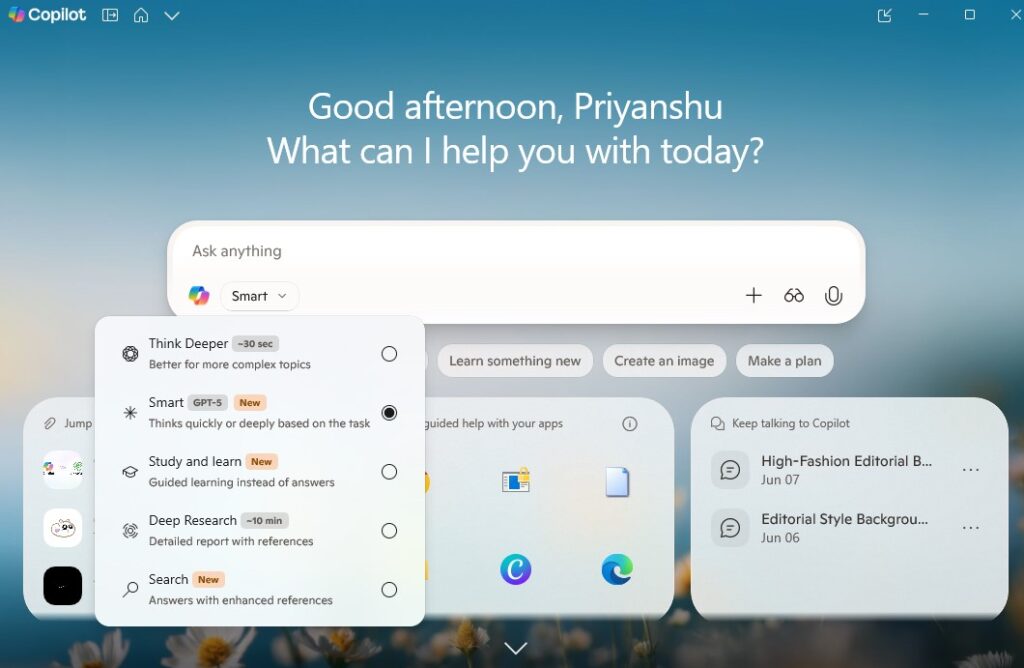
Microsoft Copilot is an AI assistant that works inside Microsoft’s products and services. It helps users write, summarize, analyze, and automate tasks in tools like Word, Excel, PowerPoint, Outlook, and Teams.
Microsoft 365 Copilot responds to prompts and can use information that the user has permission to access inside their organization (like emails, files, and calendars). It can also include internet-based content depending on context and configuration.
What is ChatGPT?
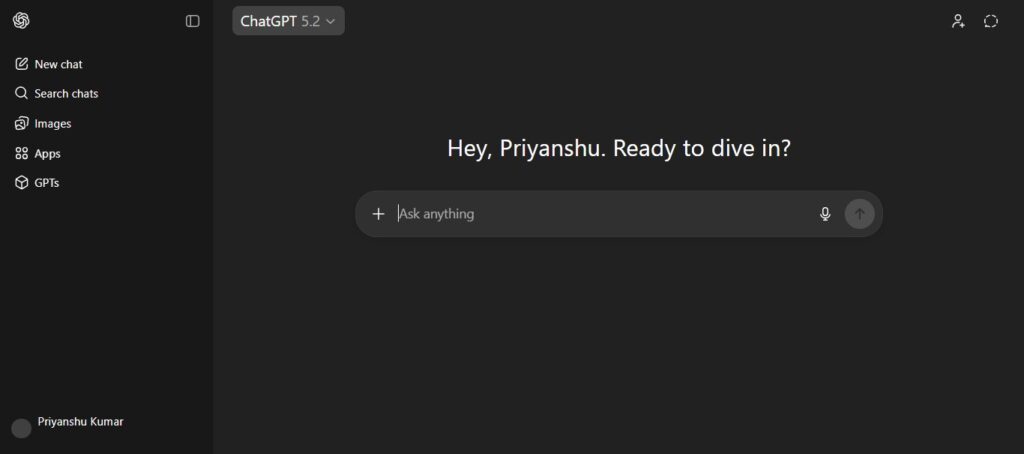
ChatGPT is a conversational AI tool by OpenAI that helps users generate and understand text through a chat interface. It can answer questions, rewrite content, summarize information, and assist with tasks like learning, brainstorming, problem-solving, and drafting content.
OpenAI designed ChatGPT to interact like a dialogue, meaning it can handle follow-up questions and correct mistakes during a conversation.
ChatGPT works as a general AI assistant that you can use for marketing, writing, planning, studying, research, coding, and ideation.
Copilot vs ChatGPT – Key Similarities
Copilot and ChatGPT both use modern AI models, both understand prompts, and both aim to save time. You can write emails with both, brainstorm with both, and get summaries from both.
Deep Learning Models
Both Copilot and ChatGPT rely on advanced deep learning models (LLMs). They can generate human-like responses, analyze instructions, and handle multi-step prompts. They are trained to predict and generate helpful output based on patterns in large datasets.
Productivity Tools
Both tools help with productivity tasks, like drafting content, rewriting paragraphs, summarizing a long text, creating structured outputs (tables, lists, plans). If you want to reduce manual effort, both tools can deliver value quickly.
Availability
Both Copilot and ChatGPT are widely available through web-based interfaces, apps, and integrations. You don’t need to be a programmer to use either one. You just need one basic skill ie. asking clearly for what you want.
Paid and Free Versions
Both Copilot and ChatGPT offer free access in some form and paid tiers for advanced features. ChatGPT offers multiple plans, including Free and paid options such as Plus, Business, and Enterprise. Microsoft also provides Copilot options across business and enterprise pricing plans.
Included Web Search
Both platforms can include web-based results depending on configuration and features. This matters for users who need verified information. Copilot uses Bing-powered search integration. ChatGPT also includes web browsing capability in certain plans and setups.
Prompting
If your prompt is vague, like write something good, you’ll get vague output. If your prompt is specific, like write a 150-word LinkedIn post with a bold hook and CTA for marketing interns, you’ll get better results.
Copilot vs ChatGPT – Key Differences
Copilot and ChatGPT look similar on the surface, but their core design goals differ. Copilot focuses on workplace productivity inside Microsoft apps. ChatGPT focuses on flexible, multi-purpose conversation and creation.
1. Base Model Architecture
Microsoft Copilot
Copilot works as an AI layer integrated into Microsoft’s ecosystem. Microsoft describes it as working with prompts and responding using work context and real-time information, depending on what the user has access to. It can use organizational context (emails, meetings, documents) in Microsoft 365.
ChatGPT
ChatGPT works as a standalone conversational assistant. OpenAI designed it to handle dialogue interaction naturally, including follow-up questions.
2. Model Size & Configuration
Microsoft Copilot
Microsoft manages Copilot’s models and behavior based on product capacity and availability. Microsoft also notes that quality and performance can vary depending on service availability in Copilot Chat.
ChatGPT
ChatGPT offers access based on plan type, and OpenAI clearly mentions that paid tiers provide stronger experiences with more capability.
You get more flexibility and often more control with ChatGPT.
3. Common Use Cases
Microsoft Copilot
- Writing professional emails in Outlook
- Summarizing Teams meetings
- Generating PowerPoint slides quickly
- Creating reports and documents in Word
- Excel analysis and formula help
ChatGPT
- Content writing (blogs, scripts, posts)
- Research explanation and learning
- Brainstorming ideas and strategies
- Coding help and debugging
- Creating templates, frameworks, plans
4. Training Data & Tuning
Microsoft Copilot
Copilot’s biggest strength is not only training, but it’s context. It can respond using your business content that you already have permission to access. It can sound more work-relevant in corporate setups.
ChatGPT
ChatGPT focuses on general reasoning and multi-task assistance. It can help across many industries because it doesn’t rely on one workplace data source.
5. Adaptability & Customization
Microsoft Copilot
Copilot adapts best inside Microsoft’s boundaries. It works in the apps and structures Microsoft controls.
ChatGPT
ChatGPT adapts well across different styles and outputs. It can behave like a tutor, writer, strategist, analyst, or brainstorm partner based on your instruction.
6. Functionality Scope
Microsoft Copilot
The functions for this agent are specialized according to the host application. It drafts documents in Word and suggests code in GitHub.
ChatGPT
This one has a more elaborate and broader range of functionalities, like generating different texts.
7. Data Security & Compliance
Microsoft Copilot
Microsoft positions Copilot strongly for enterprise environments, including compliance and workplace security standards across Microsoft 365. For companies already deep into Microsoft security policies, Copilot often feels easier to adopt.
ChatGPT
ChatGPT also offers business-grade plans for organizations. OpenAI mentions Business and Enterprise plans designed for teams and companies.
8. Pricing Models
Microsoft Copilot
Microsoft 365 Copilot has business and enterprise pricing that is billed per user per month (varies by plan/market).
ChatGPT
ChatGPT offers Free and paid plans with different tiers. ChatGPT pricing feels more straightforward if you want an AI tool without needing the full Microsoft ecosystem.
Copilot vs ChatGPT – Which One to Use?
The best tool depends on your workflow.
Office Users & Experts
If your daily work includes Word, Excel, Outlook, Teams, and PowerPoint, Copilot will feel like the most natural upgrade. For corporate professionals, Copilot offers the highest productivity boost because it works directly inside Microsoft tools.
Developers
If you want a tool for coding, explanations, and reasoning, ChatGPT wins for flexibility. You can ask ChatGPT to explain code, rewrite logic, generate documentation, and even help with architecture thinking. Many developers use multiple tools (like Copilot for inline code plus ChatGPT for deeper reasoning). That combo often works best.
Creative Users & Researchers
If you write blogs, scripts, LinkedIn posts, ad copies, or research content, ChatGPT provides a better creative range. It can adapt tone, produce multiple versions, and handle storytelling better. It also works well for structuring content into SEO-friendly formats. So if your work needs creativity and thinking, ChatGPT becomes a stronger pick.
Key Takeaways
- Copilot works best inside Microsoft 365 apps.
- ChatGPT works best as a flexible AI assistant for writing, learning, and creation.
- Copilot saves time in office workflows.
- ChatGPT supports deeper thinking, strategy, and content creation.
- You can use both together, Copilot for execution, ChatGPT for ideation.
Final Thoughts
If you use Microsoft 365, you should choose Copilot. It plugs into your workflow naturally. If you need an AI tool that helps with everything, writing, thinking, planning, coding, and research, you should choose ChatGPT.
FAQs
1. Is Copilot better than ChatGPT?
No. Copilot works best inside Microsoft apps. ChatGPT works better for creative writing, research, and flexible assistance.
2. Can I use Copilot and ChatGPT together?
Yes, and it gives the best results. Use Copilot for office execution and ChatGPT for strategy, writing, and idea generation.
3. Which tool is better for content writing?
ChatGPT is better for blogs, scripts, and social media posts because it handles tone, structure, and creative output well.
4. Which is better for Excel and PowerPoint?
Microsoft Copilot. It integrates directly into Excel and PowerPoint and supports work tasks inside those apps.
5. Is ChatGPT free?
Yes. OpenAI offers a free version of ChatGPT. Paid plans provide enhanced capabilities and features.
Related Blogs: