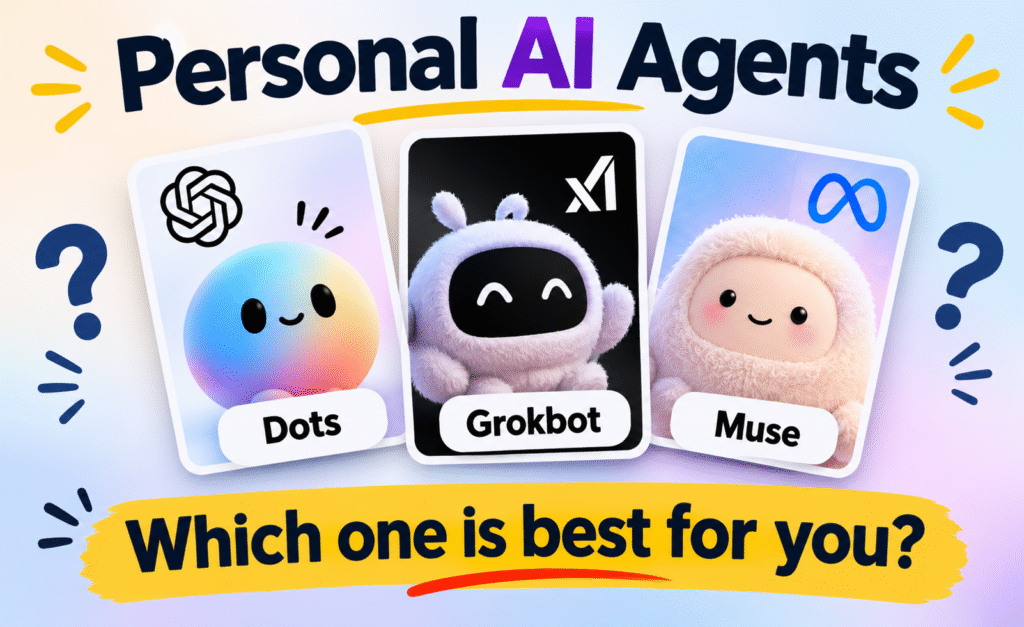
For most of my work with AI tools, the pattern has been the same. I ask a question, get a useful paragraph back, copy what I need, and move on. That’s still how most people use these tools, and it’s still valuable. But the launches from OpenAI, Meta and xAI over the past few months point toward something different: agents that take a goal, break it into steps, use apps and a computer of their own, and keep going after you’ve closed the window.
OpenAI calls its version Dots, Meta calls its version Muse, and xAI calls its version Grok Bot. The three companies are approaching the idea from different directions. OpenAI builds its agent into ChatGPT and frames it as a teammate with its own cloud computer. Meta puts its agent in a standalone app and WhatsApp and puts heavy emphasis on a secure, private machine for each user. xAI, working closely with Cursor, focuses on agents that operate software the way a person would, including tools that have no API.
In this article, I’ll look at what each product officially claims, where those claims are still unproven, and the question that matters most: can these agents genuinely take work off your hands, or are they still sophisticated chatbots with better plumbing?
What Are Personal AI Agents and How Are They Different From AI Chatbots?
A personal AI agent is software that takes a goal, works out the steps to reach it, carries those steps out using apps, websites or a computer, and checks back with you when it needs a decision.
Here’s a simple way to see the difference. Ask a chatbot to “find a dentist appointment next week that fits my calendar and book it,” and it will probably give you a list of clinics and tell you how to book. Give the same request to an agent, and it checks your calendar, searches for available slots, fills in the booking form, and then pauses before submitting anything that involves payment or personal details.
Under the hood, an agent usually combines a language model with a set of tools: a browser, connections to apps like email or calendars, sometimes a terminal and file storage. It works in a loop. It plans a step, takes the action, looks at the result, and adjusts. A chatbot stops after giving you an answer. An agent keeps the loop running until the job is finished or it needs your input.
| Traditional AI chatbot | Personal AI agent |
|---|---|
| Answers questions | Works towards goals |
| Responds when prompted | Can work in the background |
| Generates information | Can execute approved tasks |
| Usually conversation-focused | Can use external tools |
| Limited task continuity | Can maintain ongoing projects |
Can AI agents independently complete tasks? Yes, within the permissions you give them. In practice, “independently” means the agent doesn’t need you to approve every click. It does not mean you can walk away and forget about it. All three products described below ask for approval on sensitive actions, and that’s a good thing.
How do agents use browsers, apps and cloud computers? Each of the three products runs the agent on a virtual machine in the cloud rather than on your laptop. That machine has a browser, file storage and access to the apps you connect. The practical benefit is that the work continues when your phone is off or your laptop is closed. The practical risk is that the agent holds some of your accounts and data, which is why permissions matter so much.
What is persistent memory? It’s the agent’s ability to remember your preferences and ongoing projects across sessions, so you don’t have to re-explain your situation every time. Memory is where these products differ most in how much they reveal. I’d check each product’s settings to see what it stores and how you can review or delete it.
What does autonomous task execution mean? It means the agent can carry out a multi-step job from start to finish, pausing only where it has been told to. A good test is whether it can finish a task that takes several decisions and several apps without you stepping in, and whether it stops at the right moments.
Which 3 Personal AI Agents Are Worth Exploring in 2026?
Here are the three products, with their developers and launch dates.
1. Dots, from OpenAI. OpenAI announced Dots on September 29, 2026, at its DevDay event. Dots are always-on agents that live inside ChatGPT and run on GPT-6 Astra, OpenAI’s flagship model.
2. Muse, from Meta. Meta launched Muse on September 8, 2026. It is a personal AI agent for adults that helps with everyday tasks and longer goals, reachable through its own app and through WhatsApp.
3. Grok Bot, from xAI. Grok Bot launched in early beta on August 11, 2026, and reached version 1.0 on November 2. The official announcement appears on x.ai, and the company’s site lists SpaceXAI LLC as the publisher. SpaceXAI is the company formerly known as xAI, now part of SpaceX according to press coverage. Grok Bot is a separate product from Grok, the chatbot. Cursor is closely involved in building it.
What Is OpenAI Dots? Features, Capabilities and My Experience
OpenAI Dots is an always-on agent inside ChatGPT. You give it a goal, it gets its own cloud computer and browser, connects to your apps, and keeps working between conversations.
What is OpenAI Dots?
OpenAI describes Dots as “remarkably capable, always-on agents built to handle everything.” In practice, each Dot is a named agent that lives in ChatGPT, runs on GPT-6 Astra, and continues making progress on your goals when you aren’t in the chat.
How does OpenAI Dots work?
You message or call a Dot from ChatGPT on desktop, web or mobile, and you can also reach it through Slack and Teams. You describe what you want in plain language. The Dot works in the background, sends you progress updates, and asks you questions when it needs a decision. OpenAI says it can also run a background “proactive research” feature, which is read-only when you’re not present, so it can gather information without changing things on your accounts.
What makes Dots different from ChatGPT?
A normal ChatGPT conversation ends when you close the tab. A Dot carries responsibility for an ongoing piece of work. It keeps context across the surfaces you use, so a request you made on your phone can carry over to your desktop.
What can OpenAI Dots actually do?
Launch coverage points to scheduling meetings, arranging travel, budgeting, debugging computer problems, writing code and handling restaurant bookings or website design tasks. The honest caveat is that most of these examples come from OpenAI’s own announcements. Independent results are still thin.
How does Dots use its own cloud computer?
Each Dot has its own cloud computer and browser. OpenAI says you can open that computer at any time to see what the agent is doing, which is a useful transparency feature. You can also connect a Dot to your own PC so it can work alongside you on local files and apps.
Can OpenAI Dots connect with other applications?
Yes. Through OpenAI’s plugin ecosystem, Dots can connect to more than 4,000 apps, including Slack and Teams. The list of connected services will matter more than any single feature, so check whether the apps you rely on are supported before you commit.
How does Dots remember user preferences?
OpenAI says Dots learn from feedback over time. You correct the agent, and it adjusts how it works for you. How much of that memory you can inspect and edit is something I’d verify in the settings before relying on it for sensitive work.
What are the advantages and limitations of Dots?
The strongest advantage is familiarity. If you already use ChatGPT daily and have your work apps connected, the learning curve is small. OpenAI’s approach to safety also stands out: sensitive actions such as changing a password always stay with you, and the agent can’t be configured to skip those checks.
The limitations are real. Access is limited at launch. Coverage describes a rollout to eligible Pro, Business and some Enterprise plans, with the EEA, Switzerland and the UK excluded for personal Pro accounts at first. Pricing for ongoing, always-on use is not fully settled, which makes budgeting harder. And because the agent runs for long stretches on its own, the quality of its decisions matters more than it does in chat.
How does OpenAI Dots handle multi-step instructions?
The product is designed for multi-step work, and that’s the claim worth testing most carefully. The best test is a task with four or five dependent steps, such as “collect the three quotes from my inbox, compare them in a sheet, and draft a reply to the one that fits my budget.” The thing to watch is whether it asks before sending the email, and whether it notices when a quote is missing rather than inventing one.
Who should use OpenAI Dots?
Dots suits people who already pay for ChatGPT Pro or a qualifying business plan, live inside ChatGPT and Slack or Teams, and want an agent that handles recurring coordination. If you’re looking for something free or simple to try, Dots is probably not the starting point.
What Is Meta Muse? Features, Capabilities and My Experience
Meta Muse is a personal AI agent that works in its own app and through WhatsApp. Its defining feature is a dedicated, secure virtual machine for each user that holds both the agent and that user’s data.
What is Meta Muse?
Meta describes Muse as “a secure, private personal AI agent that proactively helps with people’s goals and suggests ideas.” It’s aimed at adults and is meant to handle day-to-day tasks like schedules and shopping, along with bigger goals. Meta’s launch post says it “doesn’t just answer questions, it actually does the work.”
How does Meta Muse work?
You download the Muse app or message the agent in WhatsApp, then set goals. Muse runs on what Meta calls Muse Secure VM, a dedicated virtual machine that houses the agent and your data. It keeps working after you leave the app, which is the core of what separates it from a chat window.
What is Muse Secure VM?
It’s Meta’s answer to a practical problem: personal agents need a computer of their own, and that computer has to hold a lot of sensitive information. Meta says it built the Secure VM from the ground up for that purpose. Whether it delivers on that promise is something outside observers will judge over time.
Can Meta Muse perform tasks through WhatsApp?
Yes, you can message Muse in WhatsApp. One detail is worth knowing: according to CNBC’s coverage, the WhatsApp version doesn’t include some of the standalone app’s features, such as the feed and the ideas tool. So WhatsApp is the convenient route for tasks, while the app is the fuller experience.
How does Meta Muse remember personal preferences?
Meta’s materials say Muse learns your goals and preferences over time. The sources I checked don’t explain in detail how that memory is stored or how you edit it, so I wouldn’t assume you have fine-grained control until you’ve confirmed it in the app’s settings.
What tasks can Meta Muse complete?
Meta’s examples range from simple to ambitious. Simple tasks include sending an email or booking travel. Larger goals include building a yearlong exercise plan or setting up a new business. Muse is also designed to connect with email, calendars, payments, health and fitness apps, smart home devices, dining, shopping, music and events, according to TechCrunch’s coverage of the launch.
How does Meta Muse handle privacy and permissions?
Meta says nothing Muse does reaches the internet unless its safety layer approves it, and that Muse asks you for permission when it needs to. Meta also says conversations and VM data are not shared with its ad systems, and that you can opt out of having your interactions used to train its AI models.
Those are reasonable promises, but it’s worth being clear-eyed. Muse asks for access to a lot: email, calendar, payments and health data. That’s exactly the kind of setup where a company’s track record on data matters, and Meta’s record is part of the reason some reviewers are cautious.
What are the advantages and limitations of Muse?
The advantages are accessibility and price. Muse has a free tier with usage limits, plus paid plans at $20 a month (Power) and $100 a month (Maximum) according to Meta’s launch coverage. The WhatsApp option makes it easy for non-technical users to start. Meta has also said it plans to bring Muse to its AI glasses.
The limitations are availability and trust. Muse was launched in the US, and coverage differs on which other markets have been added, so check muse.ai for your country. The data-access requirements are substantial. And the agent is still early. Meta’s own executives have described the field as “pretty early in this new era of personal agents.”
Who should use Meta Muse?
Muse is the easiest of the three to recommend to someone who wants to try a personal agent without learning a new tool. It suits people who live in WhatsApp, are comfortable connecting their email and calendar, and want help with everyday planning. If you’re uneasy about giving a large platform more personal data, Muse is the one to think about most carefully.
What Is Grok Bot? Features, Capabilities and My Experience
Grok Bot is SpaceXAI’s team of always-on agents. Each bot gets its own cloud computer, signs into the tools you already use, and can carry out multi-step work across websites and apps that have no API.
What is Grok Bot?
SpaceXAI describes Grok Bot as “your team of always-on agents. They have their own computer, work inside tools and apps like you do, and keep working 24/7.” You message a bot like a colleague and describe the job in plain language.
Is Grok Bot an official xAI product?
Yes, with a naming wrinkle. The official announcement is on x.ai, and the site is published by SpaceXAI LLC. SpaceXAI is the company formerly known as xAI, and press coverage describes it as part of SpaceX. So Grok Bot is an official product of the company that used to be called xAI. It should not be confused with Grok, the chatbot, which is a separate product in the same family.
How does Grok Bot work?
Each bot runs on a dedicated cloud virtual machine with a browser, terminal and file access. It can sign into the apps and websites you use and operate them the way a person would. Coverage reports that it doesn’t require each service to expose an API, which is a meaningful difference for older or niche tools.
The “teach-a-task” feature is the one that stands out. You show the bot how to do a workflow once, and it turns that demonstration into a repeatable routine. The bot can then apply your corrections the next time it runs.
Approvals are handled per action. You can choose Allow once, Deny, or Always allow, and you can set rules that require approval for some kinds of action. Logins can be filled through 1Password without the bot seeing your passwords, and steps involving login codes, two-factor authentication or payment are handed back to you.
What makes Grok Bot different from other personal AI agents?
The clearest difference is the focus on operating interfaces. Muse and Dots connect to apps through integrations and plugins. Grok Bot is built to use the software in front of it, which makes it more flexible for tools that were never designed for automation. The tradeoff is that interface-driven automation is more fragile. When a website changes its layout, the agent can get lost.
What tasks can Grok Bot perform?
SpaceXAI’s own examples come from internal use. Its sales bots log call notes in the CRM and draft follow-up emails. Its engineering bots reproduce bugs in the product and file tickets. Coverage also mentions bots managing email, expenses, recruiting and bug fixes. These are useful examples of the kind of repetitive, multi-tool work the product is aimed at.
What tools and applications can it access?
Grok Bot can work with any website or app you sign into, along with its built-in browser, terminal and files. Reports also mention support for MCP tools, which extends it to services that publish that standard. Multiple bots can share a computer, message one another and collaborate in group chats.
What are its advantages and limitations?
The main advantage is breadth. If your work spans tools without good integrations, Grok Bot can reach them. The per-action approval system is also more granular than most, and the password-manager integration is thoughtful.
The limitations are cost, platform support and maturity. Pricing reports vary. VentureBeat describes a starting price of $120 a month, and other coverage says access is included in certain higher-tier plans, such as SuperGrok Heavy and Cursor’s top tiers. Check the current plan details before you commit. The desktop app is available for Windows and macOS, with an iOS app, though reports at launch said Android was not yet available, and Linux had no official desktop app. Enterprise access is on a waitlist. And since this is an early beta, its reliability over long, unattended runs has not been proven.
Who should use Grok Bot?
Grok Bot makes the most sense for people with repetitive work that lives across several web tools, particularly tools without APIs, and who are willing to pay a premium and supervise the first runs. If your main need is a friendly assistant for planning your week, it’s more machinery than you need.
OpenAI Dots vs Meta Muse vs Grok Bot: Which Is Better?
No single agent wins on every factor, and the table below shows why. The real question underneath the comparison is this: can these agents genuinely take work off your hands, or are they still sophisticated chatbots?
| Comparison factor | What to evaluate | OpenAI Dots | Meta Muse | Grok Bot |
|---|---|---|---|---|
| Ease of use | How easily can beginners get started? | Easy if you already use ChatGPT | Easiest, via app or WhatsApp | Moderate: needs desktop app and task teaching |
| Task execution | Can it complete multi-step tasks? | Broad, across connected apps | Broad, including long-term goals | Strongest for interface-driven, multi-tool work |
| Memory | Does it retain useful context? | Learns from feedback; check settings | Learns goals; details not fully documented | Retains routines and corrections |
| Autonomy | Can it continue working independently? | Yes, with approval for sensitive actions | Yes, with approval requests | Yes, with per-action approvals |
| Cloud computer | Does it have its own environment? | Yes, viewable at any time | Yes, Muse Secure VM | Yes, one persistent VM per account |
| App integrations | Which applications can it access? | 4,000+ apps via plugins | Built-in connectors, more planned | Any site or app you sign into, plus MCP tools |
| Privacy | How are personal data and permissions handled? | Read-only research mode; sensitive actions stay with you | Safety layer, permission requests, no ad sharing; asks for broad access | Per-action approval, 1Password integration |
| Customisation | Can users customise their agent? | Feedback-driven | Goals and ideas tools | Teach-a-task routines and multiple bots |
| Pricing | Free and paid plans | Included with eligible Pro and Business plans | Free tier; $20 and $100 paid plans | Reported from $120/month; varies by plan |
| Availability | Countries and supported devices | Eligible Pro, Business and some Enterprise; EEA, Switzerland and UK excluded for personal Pro at first | US at launch, expanding; app, WhatsApp, glasses planned | Windows and macOS desktop, iOS; Android not available at launch; enterprise waitlist |
My personal evaluation
OpenAI Dots performs best for people who already live in ChatGPT and want an agent that keeps a project moving across chat, Slack and Teams. Its safety design is among the clearest I’ve read, and the ability to look at the agent’s computer is a practical transparency feature. Where it falls short is access and cost. The rollout is limited, and the price for always-on use isn’t settled. It’s also an agent for people already paying for a higher tier, so it isn’t the place to start if you’re experimenting.
Meta Muse is the easiest to recommend to a curious beginner. The free tier, the WhatsApp option and the consumer-friendly framing make it a low-friction way to find out whether an agent helps you at all. Where it falls short is trust. Muse wants broad access to personal data, and whether you’re comfortable with that depends on your view of Meta. Its availability is also narrower than the marketing suggests.
Grok Bot is the most capable tool for messy, repetitive work across websites that have no integrations. Teach-a-task is genuinely useful, and the per-action approvals and password handling are sensible. Where it falls short is maturity and price. It’s an early beta, its reliability over long runs is unproven, the platform support is incomplete, and the cost is high relative to the other two.
So can these agents take work off your hands?
For a narrow set of well-defined tasks, the answer is increasingly yes. Scheduling, follow-ups, form filling, research summaries and moving information between tools are where these products are strongest. For open-ended judgment, sensitive decisions and anything where a wrong action is expensive, they are still closer to supervised assistants than to staff you can trust unattended. The most honest description I can give is that they’re better than chatbots at finishing jobs, and not yet reliable enough to be left alone with important ones.
What Are the Practical Things You Can Do With Personal AI Agents?
These are the kinds of tasks where agents are most useful right now. For each, I’ve noted where human approval should stay in place.
1. Organising daily tasks and schedules. An agent can reconcile your calendar, flag conflicts and propose a plan for the day. Keep approval for anything that sends invitations to other people.
2. Researching a topic and preparing reports. Agents can gather sources, summarise them and draft a first version. Always check the sources and the figures before anything goes out under your name.
3. Managing emails and follow-ups. An agent can sort messages, draft replies and remind you to chase a response. Keep a human in the loop for sending, especially to clients, managers or anyone where tone matters.
4. Planning trips and comparing options. Agents can compare flights, hotels and itineraries side by side. Approve any booking or payment yourself, and confirm the final details directly with the provider.
5. Automating repetitive work. This is where Grok Bot’s teach-a-task approach shines: recurring data entry, status updates and copy-and-paste workflows between tools. Supervise the first several runs before letting it work unattended.
6. Managing personal projects. Agents can track milestones, gather materials and nudge you about next steps. Good for projects with clear phases; less reliable for creative direction.
7. Organising information across applications. Agents can move notes, files and records between tools so you don’t have to. Verify that data lands in the right place, especially when it’s going into a system other people depend on.
Which tasks need human approval? Anything involving money, passwords, legal commitments, messages sent to other people in your name, and deleting or changing records. Each of the three products already pauses for some of these. The ones you should never fully hand over are the ones where a mistake is hard to reverse.
What Are the Advantages and Limitations of Personal AI Agents?
Advantages
- Reduced repetitive work. Agents can take over steps you repeat every week, freeing time for judgment-heavy work.
- Better task organisation. They can keep several threads moving at once and remind you when something stalls.
- Contextual assistance. Because they remember preferences and past work, you explain less each time.
- Multi-step task execution. Their biggest advance over chatbots is finishing jobs that take several actions.
- Application integrations. Connecting to your tools is what turns advice into action.
Limitations
- Incorrect decisions and outputs. An agent that acts can make a wrong choice that a chatbot would only have suggested.
- Privacy and security concerns. These products hold access to email, calendars, payments and files, which makes them attractive targets and sensitive to misconfiguration.
- Limited application access. Coverage varies by product, and many tools still aren’t supported well.
- Subscription costs. Premium access can cost more than the tools you’re replacing, so calculate the time you actually save.
- Need for human supervision. The early versions still need checking, especially for anything consequential.
Which Personal AI Agent Should You Choose?
Choose based on what you need the agent to do, not on which launch got the most attention.
- Choose OpenAI Dots if you already use ChatGPT daily, pay for a qualifying plan, and want an agent that coordinates work across chat, Slack and Teams with strong visibility into what it’s doing.
- Choose Meta Muse if you’re new to personal agents, want a free or low-cost way to start, and are comfortable sharing email, calendar and other personal data with Meta.
- Choose Grok Bot if your work involves repetitive multi-step tasks across websites and tools without good integrations, you’re willing to pay a premium, and you can supervise an early-beta product while it learns your routines.
If you’re undecided, start with a free or lowest-cost option, pick one repetitive task, and run it a few times with close supervision before you give the agent any real autonomy.
FAQs
Q1. What are the 5 types of AI agents?
The five types most commonly taught in traditional AI courses are simple reflex agents, which react to the current input using fixed rules; model-based reflex agents, which keep an internal picture of the world; goal-based agents, which plan actions to reach a target; utility-based agents, which weigh options by how desirable the outcomes are; and learning agents, which improve through experience. This is a classification from academic AI, not a ranking of the consumer assistants discussed in this article.
Q2. What are the top 5 AI agents?
There’s no universal top five. The right choice depends on what you need, how reliable the agent is for that task, how it handles privacy, and what it costs. This article compares three products, Dots, Muse and Grok Bot, and I haven’t evaluated any other products in enough depth to rank them.
Q3. What is the best AI agent for a personal assistant?
For everyday task management, Muse is the easiest starting point, with broad consumer features and a free tier. For app integration and memory tied to your existing work, Dots is strongest if you already live in ChatGPT. For autonomy across tools without integrations, Grok Bot is the most flexible, though it’s the most expensive and least mature of the three.
Q4. What is the difference between an AI agent and an AI assistant?
The terms overlap heavily in marketing. In general, an assistant responds to requests, often in conversation, while an agent pursues a goal across several steps and actions, often in the background. Many products are both, and the distinction is more about behavior than branding.
Q5. Can AI agents work independently without human instructions?
They can continue working without you watching every step, but they still need a goal and permissions from you. They should also pause for approval on sensitive actions. Think of independence as “working within boundaries you set,” not “acting without direction.”
Q6. Can personal AI agents access emails and applications?
Yes. Muse offers built-in connectors for email and calendars, Dots connect to thousands of apps through plugins, and Grok Bot can sign into websites and apps directly. You control what each agent can access through permissions and connections, so review them carefully.
Q7. Are AI agents better than traditional AI chatbots?
For tasks that involve several steps and real actions, yes. For quick questions, explanations and creative drafting, a chatbot is usually faster, cheaper and less risky. The better choice depends on whether you need an answer or a finished result.
Q8. Are personal AI agents free to use?
Some are. Meta’s Muse has a free tier with usage limits. Dots is available with eligible ChatGPT Pro and Business plans, and Grok Bot is included in certain paid plans with reported starting prices around $120 a month. Pricing and plan details change, so check each provider’s current page before you sign up.
Q9. Can AI agents remember previous conversations?
All three products describe some form of memory that carries context and preferences across sessions. How much they store, how you view it and how you delete it varies, so check each product’s settings and privacy controls.
Q10. Which AI agent is best for everyday productivity?
For most people starting out, Meta Muse is the simplest option, especially if you use WhatsApp. If your daily work already runs through ChatGPT, Dots fits better. For productivity that depends on repetitive work across tools without integrations, Grok Bot is the most capable, but it requires the most setup and supervision.
Other Relevant Articles: